Order an Object
Context
The Victoria and Albert Museum holds a collection of over 1.2 million objects, however, only ~10% are on public display.
Previously, object appointments were restricted to just two locations, the National Art Library and the Prints and Drawings Study Room, and were primarily used by specialists and researchers.
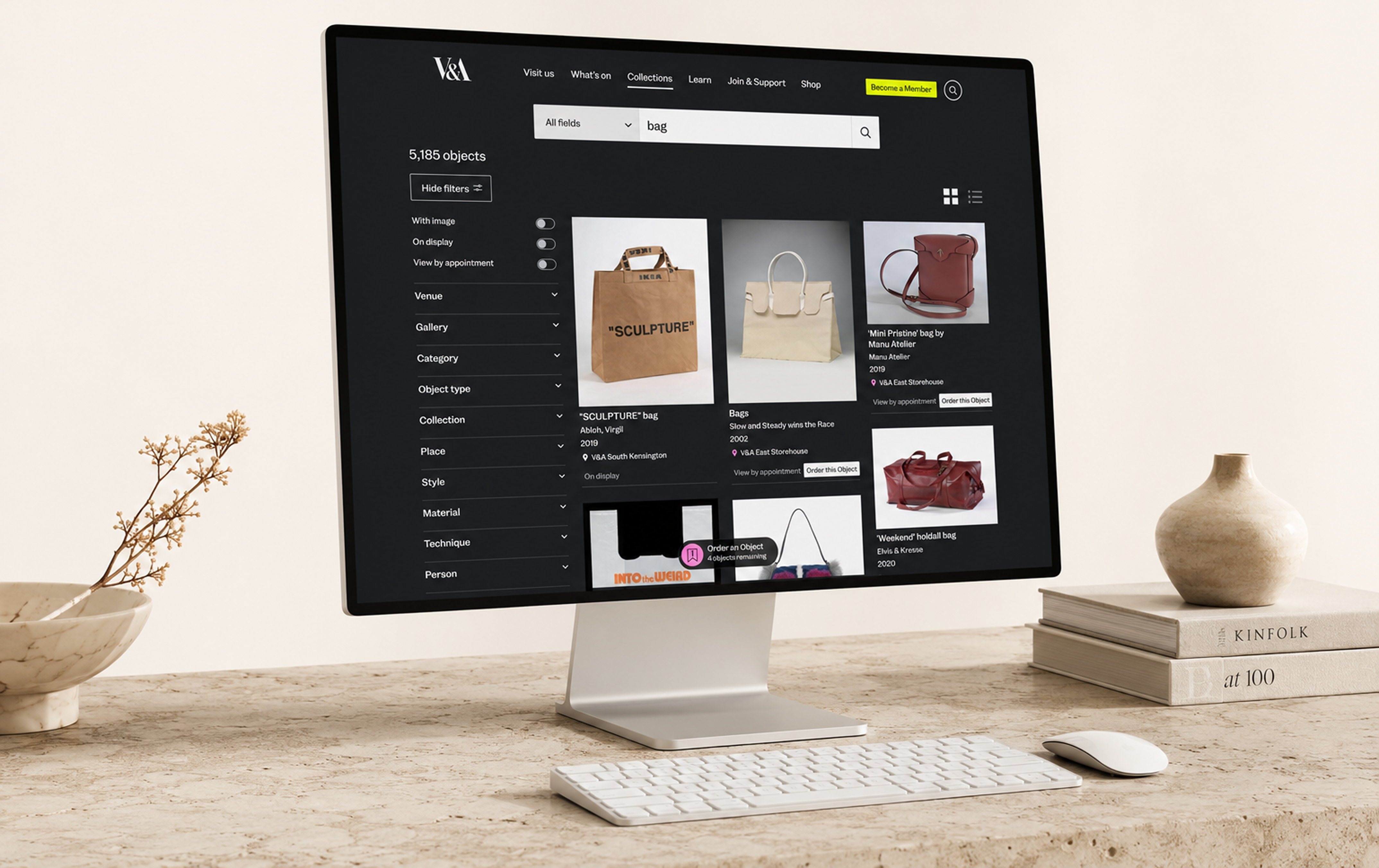
Order an Object is an ambitious new service developed as part of the V&A East Storehouse opening, designed to give the public direct access to stored collections, creating an open, inclusive gateway. The online system allows users to discover, select, and book appointments to view objects in person.
Explore the service
Overview
Role
Product Designer (End to end UI/UX)
Company
V&A Museum
Duration
6 months
Team
1 Product Manager; 1 Product Designer (me); 1 User Researcher; 1 Content Designer; 3 Developers; Multiple stakeholders
Problem
Cognitive Complexity
01
Translating a complex, curator-mediated back-office process into a simple, self-serve digital journey.
Clear Information Architecture
02
Differentiating between objects that can be instantly booked ("Book to view") and those that require curatorial approval ("Request to view").
Intuitive Action Model
03
Moving users from a passive "browsing" mindset on the collections website to an active "booking" mindset without confusion.
Technical Integration
04
Designing a solution that integrates with legacy collection management systems (CMS) and a new external booking platform.
Inclusive Design
05
Ensuring the service was accessible and clear for users with diverse needs and backgrounds.
How might we redesign the experience so that anyone could discover, select, and book objects with ease?
Process
Wireframing and Exploration
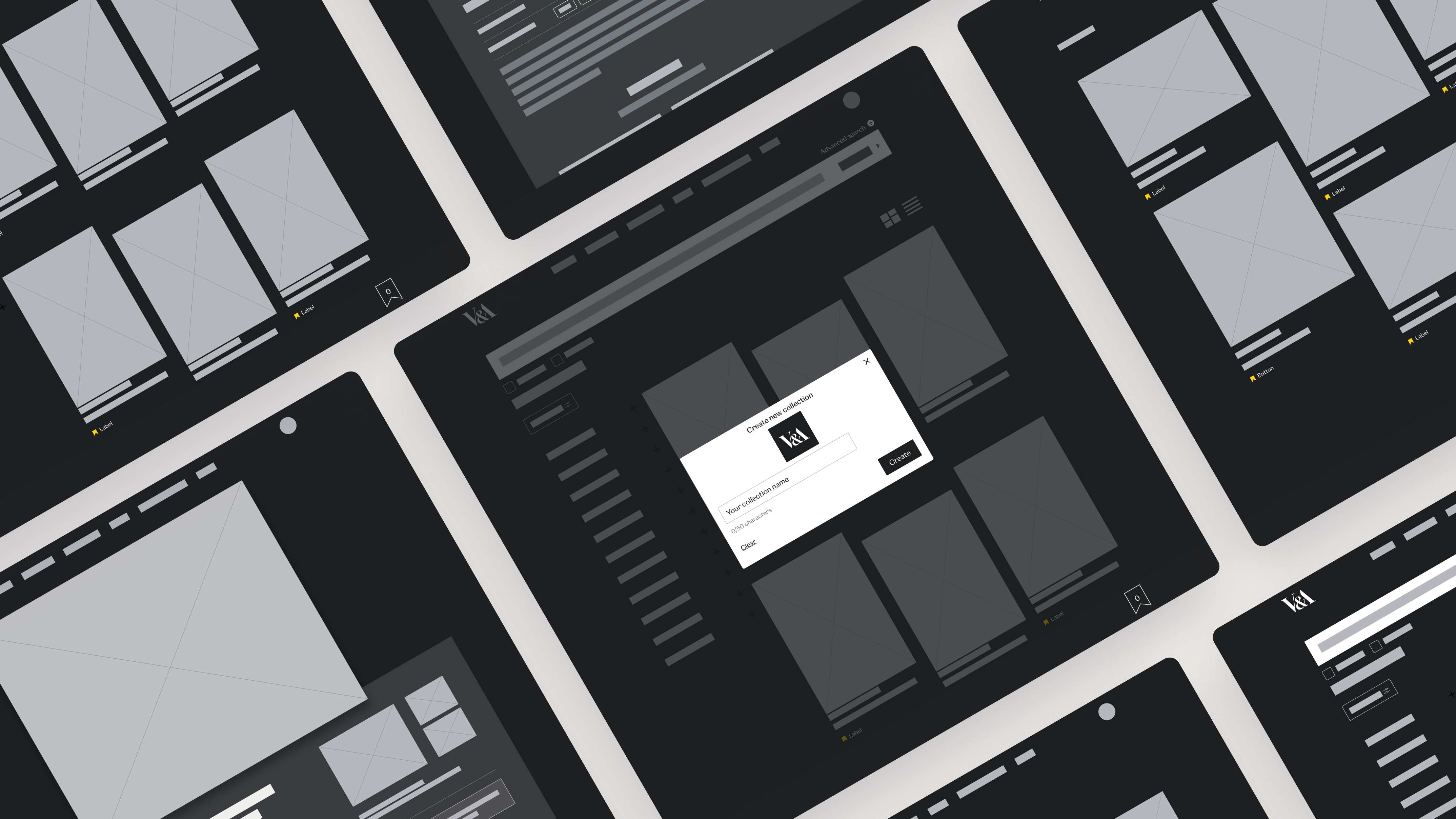
The initial requirements called for a system where users could save objects to a list that would later feed into the booking system.


During design reviews, stakeholders identified technical constraints and operational challenges with this approach. To address these, we pivoted to a checkout-style system that handled bookings directly.
I explored multiple variations of this flow before refining it into high-fidelity wireframes and an interactive prototype for user testing.


Prototyping
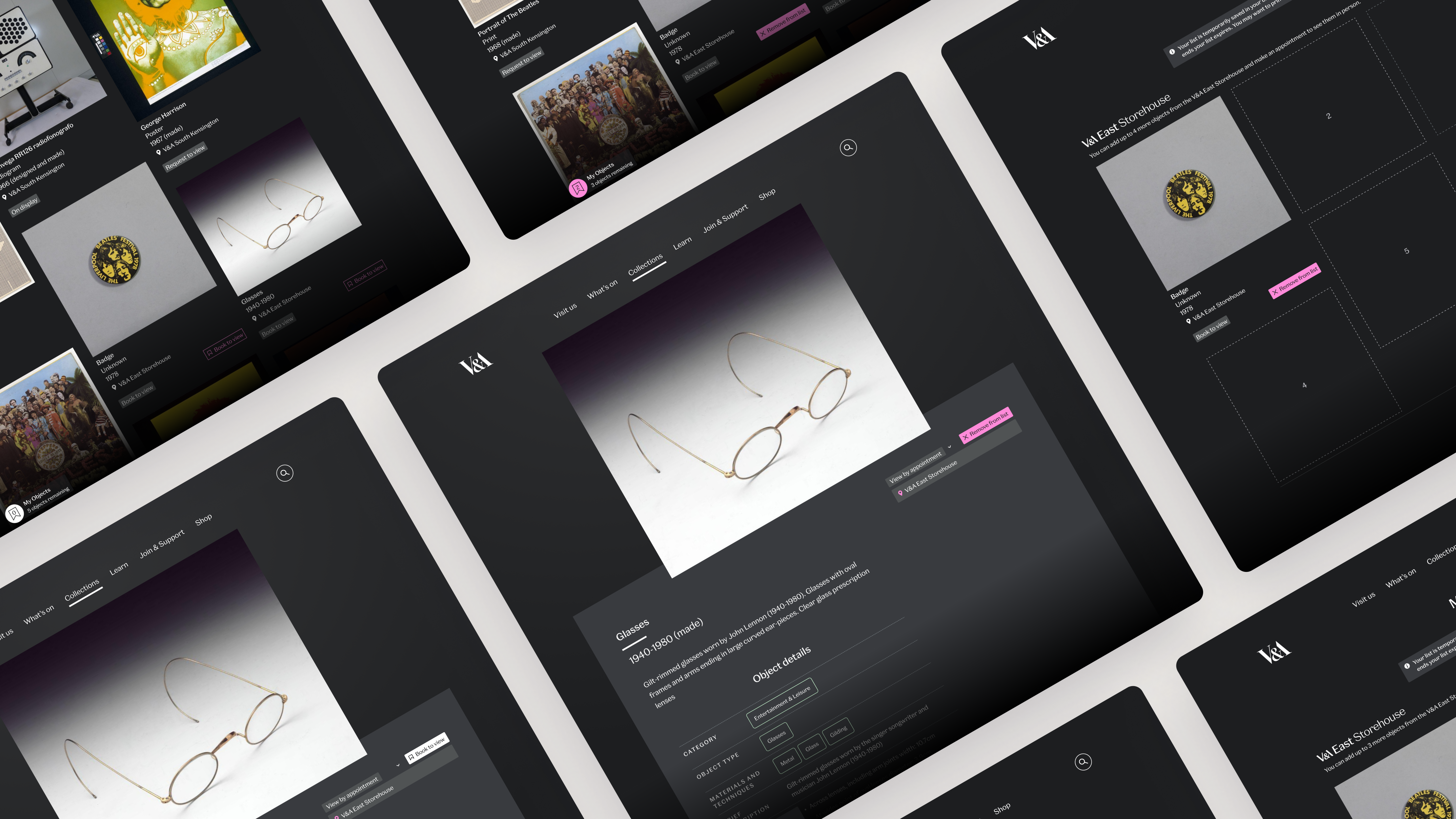
Once the flows were defined, I transformed them into high-fidelity prototypes that walked users through the entire experience, from discovery to booking confirmation. This allowed us to see the service end-to-end and gave our UXR a realistic tool to test with participants.
User testing
Our UXR conducted unmoderated testing via Userlytics with 15 culturally engaged London-based participants aged 23–34, 26% of whom identified accessibility needs. These were the key findings:
Misleading terminology
01
Users thought “Add to list” meant saving items, not booking. They expected clearer wording like “Book to view.”
Unclear rules
02
The “5 objects per appointment” limit was misunderstood. Some assumed they had to add exactly five.
Low visibility
03
The My Objects crate was small and hidden. Some users struggled to notice it, and only found it after significant trial and error.
Final design
In response to these findings, we made several key adjustments:
These designs were handed off to the development team through high-fidelity interactive prototypes and documentation.
Explore the service
Outcome and impact
The launched service saw immediate and significant adoption in its first 4 months, demonstrating a successful translation of user needs into a functional product.
High engagement
23,200+ sessions recorded, creating a brand-new access channel to the collections.
Strong integration
Used in ~3% of all Explore the Collections sessions, showing showing fluid integration into the user journey.
Validated core feature
The Order an Object service was used 32,400+ times, with users averaging 3.15 objects per booking.
Successful conversion
28.53% of interactions proceeded to book, indicating a clear user path.

Order an Object
Context
The Victoria and Albert Museum holds a collection of over 1.2 million objects, however, only ~10% are on public display.
Previously, object appointments were restricted to just two locations, the National Art Library and the Prints and Drawings Study Room, and were primarily used by specialists and researchers.
Order an Object is an ambitious new service developed as part of the V&A East Storehouse opening, designed to give the public direct access to stored collections, creating an open, inclusive gateway. The online system allows users to discover, select, and book appointments to view objects in person.
Explore the service
Overview
Role
Product Designer (End to end UI/UX)
Company
V&A Museum
Duration
6 months
Team
1 Product Manager; 1 Product Designer (me); 1 User Researcher; 1 Content Designer; 3 Developers; Multiple stakeholders
Problem
Cognitive Complexity
01
Translating a complex, curator-mediated back-office process into a simple, self-serve digital journey.
Clear Information Architecture
02
Differentiating between objects that can be instantly booked ("Book to view") and those that require curatorial approval ("Request to view").
Intuitive Action Model
03
Moving users from a passive "browsing" mindset on the collections website to an active "booking" mindset without confusion.
Technical Integration
04
Designing a solution that integrates with legacy collection management systems (CMS) and a new external booking platform.
Inclusive Design
05
Ensuring the service was accessible and clear for users with diverse needs and backgrounds.
How might we redesign the experience so that anyone could discover, select, and book objects with ease?
Process
Wireframing and Exploration
The initial requirements called for a system where users could save objects to a list that would later feed into the booking system.


During design reviews, stakeholders identified technical constraints and operational challenges with this approach. To address these, we pivoted to a checkout-style system that handled bookings directly.
I explored multiple variations of this flow before refining it into high-fidelity wireframes and an interactive prototype for user testing.


Prototyping
Once the flows were defined, I transformed them into high-fidelity prototypes that walked users through the entire experience, from discovery to booking confirmation. This allowed us to see the service end-to-end and gave our UXR a realistic tool to test with participants.
User testing
Our UXR conducted unmoderated testing via Userlytics with 15 culturally engaged London-based participants aged 23–34, 26% of whom identified accessibility needs. These were the key findings:
Misleading terminology
01
Users thought “Add to list” meant saving items, not booking. They expected clearer wording like “Book to view.”
Unclear rules
02
The “5 objects per appointment” limit was misunderstood. Some assumed they had to add exactly five.
Low visibility
03
The My Objects crate was small and hidden. Some users struggled to notice it, and only found it after significant trial and error.
Final design
In response to these findings, we made several key adjustments:
These designs were handed off to the development team through high-fidelity interactive prototypes and documentation.
Explore the service
Outcome and impact
The launched service saw immediate and significant adoption in its first 4 months, demonstrating a successful translation of user needs into a functional product.
High engagement
23,200+ sessions recorded, creating a brand-new access channel to the collections.
Strong integration
Used in ~3% of all Explore the Collections sessions, showing showing fluid integration into the user journey.
Validated core feature
The Order an Object service was used 32,400+ times, with users averaging 3.15 objects per booking.
Successful conversion
28.53% of interactions proceeded to book, indicating a clear user path.

Order an Object
Context
The Victoria and Albert Museum holds a collection of over 1.2 million objects, however, only ~10% are on public display.
Previously, object appointments were restricted to just two locations, the National Art Library and the Prints and Drawings Study Room, and were primarily used by specialists and researchers.
Order an Object is an ambitious new service developed as part of the V&A East Storehouse opening, designed to give the public direct access to stored collections, creating an open, inclusive gateway. The online system allows users to discover, select, and book appointments to view objects in person.
Explore the service
Overview
Role
Product Designer (End to end UI/UX)
Company
V&A Museum
Duration
6 months
Team
1 Product Manager; 1 Product Designer (me); 1 User Researcher; 1 Content Designer; 3 Developers; Multiple stakeholders
Problem
Cognitive Complexity
01
Translating a complex, curator-mediated back-office process into a simple, self-serve digital journey.
Clear Information Architecture
02
Differentiating between objects that can be instantly booked ("Book to view") and those that require curatorial approval ("Request to view").
Intuitive Action Model
03
Moving users from a passive "browsing" mindset on the collections website to an active "booking" mindset without confusion.
Technical Integration
04
Designing a solution that integrates with legacy collection management systems (CMS) and a new external booking platform.
Inclusive Design
05
Ensuring the service was accessible and clear for users with diverse needs and backgrounds.
How might we redesign the experience so that anyone could discover, select, and book objects with ease?
Process
Wireframing and Exploration
The initial requirements called for a system where users could save objects to a list that would later feed into the booking system.


During design reviews, stakeholders identified technical constraints and operational challenges with this approach. To address these, we pivoted to a checkout-style system that handled bookings directly.
I explored multiple variations of this flow before refining it into high-fidelity wireframes and an interactive prototype for user testing.


Prototyping
Once the flows were defined, I transformed them into high-fidelity prototypes that walked users through the entire experience, from discovery to booking confirmation. This allowed us to see the service end-to-end and gave our UXR a realistic tool to test with participants.
User testing
Our UXR conducted unmoderated testing via Userlytics with 15 culturally engaged London-based participants aged 23–34, 26% of whom identified accessibility needs. These were the key findings:
Misleading terminology
01
Users thought “Add to list” meant saving items, not booking. They expected clearer wording like “Book to view.”
Unclear rules
02
The “5 objects per appointment” limit was misunderstood. Some assumed they had to add exactly five.
Low visibility
03
The My Objects crate was small and hidden. Some users struggled to notice it, and only found it after significant trial and error.
Final design
In response to these findings, we made several key adjustments:
These designs were handed off to the development team through high-fidelity interactive prototypes and documentation.
Explore the service
Outcome and impact
The launched service saw immediate and significant adoption in its first 4 months, demonstrating a successful translation of user needs into a functional product.
High engagement
23,200+ sessions recorded, creating a brand-new access channel to the collections.
Strong integration
Used in ~3% of all Explore the Collections sessions, showing showing fluid integration into the user journey.
Validated core feature
The Order an Object service was used 32,400+ times, with users averaging 3.15 objects per booking.
Successful conversion
28.53% of interactions proceeded to book, indicating a clear user path.
Other projects